
Figma plugin
PasteMotion
Stop screenshotting animated icons.
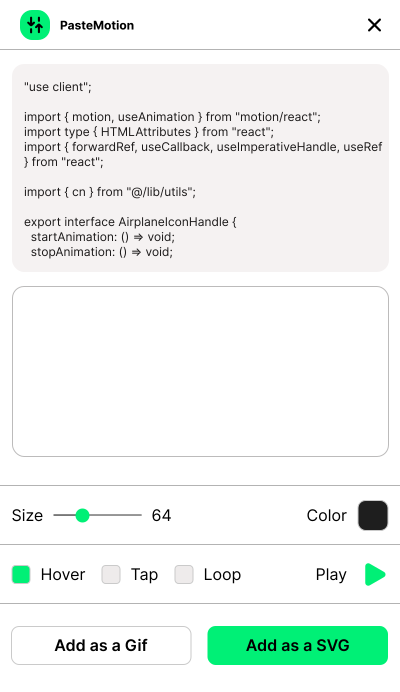
Paste animated icon component code from different libraries, watch it animate live inside Figma, then export as an animated GIF or add the SVG to your canvas. No dev environment, no detours.
 Get Figma plugin
3-day free trial · $12 one-time, no subscription
WHAT YOU GET
Built for icons that move
01
Live animated preview
Pasted TSX is transpiled and rendered right inside the plugin. Hover, tap, or loop the animation before you commit.
02
Export as GIF or SVG
Download an animated GIF for presentations, or add the rendered icon to your canvas as a clean vector node — your choice.
03
Size & color controls
Preview at any size and resolve currentColor to your pick before inserting.
04
Multiple libraries supported
Works with popular animated icon libraries built on motion/react.
05
Variant picker
Multiple exports or animation variants in the pasted code? Pick exactly which one to render.
06
Fully offline
no accounts, no stored data. Your code never leaves the plugin.
HOW IT WORKS
Three steps. No dev setup.
1
Paste the code
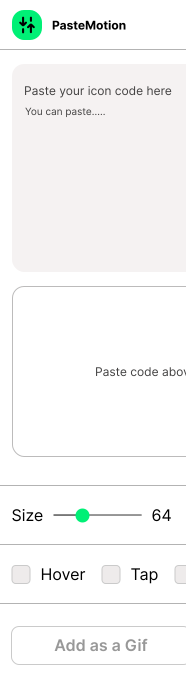
Copy an animated icon component from your favorite library and paste it into the plugin.
2
Preview the motion
The icon renders live. Hover to play the animation, switch variants, tune size and color.
3
Export your way
Download an animated GIF, or add a clean, editable vector node to your Figma canvas. Done.
SIMPLE PRICING
Pay once. Paste forever.
No subscription, no seats, no upsells. Try everything free for a week, then unlock it for the price of lunch.
Free trial
$0
- · 3 days, full-featured
- · No account, no card
- · Starts on first run
Full version
$12
- · One-time purchase
- · Figma native checkout
- · Every future update included
FAQ
Questions
Worth Asking
What code can I paste?
Animated icon components built on motion/react. Works with popular animated icon libraries and custom React components.
Does it phone home?
No. The plugin has zero network access — code is transpiled and rendered entirely inside the plugin sandbox. Nothing is uploaded, logged, or stored.
What can I export?
An animated GIF file for presentations and documentation, or a real vector node on your canvas created from the rendered SVG markup — fully editable paths, with currentColor resolved to the color you picked.
How does the trial work?
Your first run starts a 3-day, full-featured trial — no card, no account. After that, a $12 one-time purchase through Figma's own checkout unlocks it for good.